

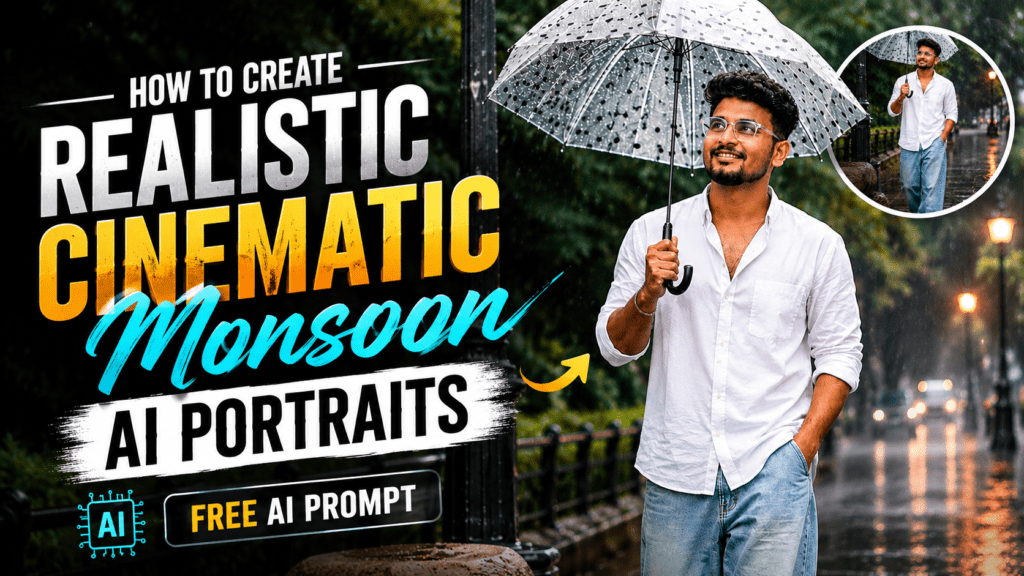
Have you ever wondered How to Create Realistic Cinematic Monsoon AI Portraits (Free AI Prompt) that look like they were captured with a professional DSLR camera? Thanks to modern AI image generators, you can now create stunning rainy-day portraits with realistic lighting, cinematic colors, and detailed facial expressions in just a few seconds. Whether you’re creating content for Instagram, YouTube thumbnails, or your personal portfolio, the right AI prompt can produce breathtaking results without any photography skills.
In this guide, you’ll learn how to write an effective cinematic monsoon AI prompt, why each prompt element matters, and how to generate high-quality images using popular AI tools.
Why Monsoon AI Portraits Are Trending
Rainy-day portraits have become one of the most popular styles on social media because they combine emotion, fashion, and cinematic storytelling. Reflections on wet roads, soft rain, glowing street lights, and natural expressions create an eye-catching visual that instantly stands out.
Creators use these portraits for:
- Instagram Reels
- YouTube thumbnails
- Personal branding
- Digital art
- Fashion photography
- AI profile pictures
- Social media campaigns
A well-written prompt helps AI understand every detail, resulting in images that look incredibly realistic.
The Secret Behind Realistic AI Portraits
Many beginners simply write:
“Man standing in rain.”
Unfortunately, this produces average results.
Professional creators describe:
- Subject appearance
- Clothing
- Pose
- Camera angle
- Lighting
- Background
- Weather
- Color grading
- Lens effects
- Mood
The more descriptive your prompt is, the better your AI-generated image will be.
Free Cinematic Monsoon AI Prompt
Copy and paste the prompt below into your favorite AI image generator.
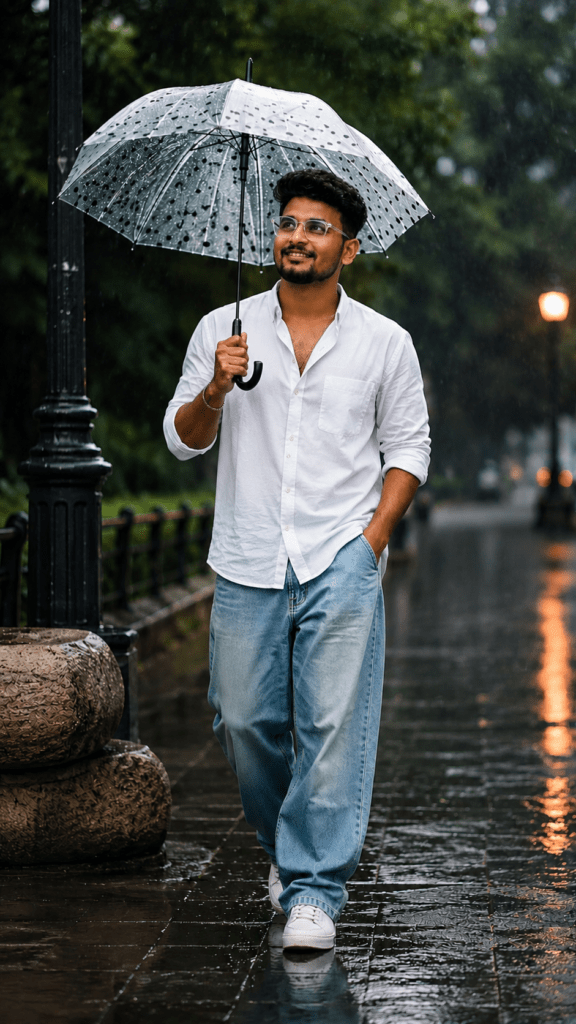
Ultra-realistic cinematic monsoon street portrait of a stylish young South Indian man walking casually along a wet urban pathway during light rainfall. The subject is captured in a full-body vertical composition, positioned slightly right of center, creating a balanced editorial fashion-photography aesthetic.

He is holding a transparent white umbrella covered with black polka-dot patterns above his head with one hand, while his other hand rests casually inside the pocket of his loose-fit jeans.

The man has medium-brown skin, thick voluminous curly black hair with natural texture, a youthful face, rectangular transparent eyeglasses, and a warm genuine smile while looking slightly upward toward the left side of the frame.

He wears a dark emerald-green kurta-style shirt with a partially open collar and rolled-up sleeves, paired with oversized light-wash baggy denim jeans and clean off-white sneakers. A simple bracelet on one wrist adds subtle detail.

The environment features a rain-soaked urban street with reflective pavement, soft puddles, blurred vehicles in the distance, glowing warm street lights, lush green trees, cinematic depth of field, natural raindrops, volumetric lighting, realistic reflections, HDR quality, ultra-detailed skin texture, shallow depth of field, soft bokeh background, editorial fashion photography, 85mm DSLR lens, f/1.8 aperture, 8K resolution, photorealistic, premium color grading.
Why This Prompt Works So Well
This prompt is highly descriptive and gives the AI enough information to create a realistic composition.
It includes:
- Full-body framing
- Cinematic rain atmosphere
- Editorial fashion styling
- Realistic facial details
- Natural smile
- Premium clothing
- Professional lighting
- DSLR lens simulation
- HDR quality
- High-resolution output
These details help the AI produce results that look much closer to professional photography than generic prompts.
Best AI Image Generators to Use
You can use this prompt with many popular AI image generators, including:
- ChatGPT Image Generation
- Google Gemini
- Midjourney
- FLUX
- Ideogram
- Leonardo AI
- Recraft AI
Each tool may interpret the prompt slightly differently, so don’t hesitate to generate multiple variations.
Tips for Even Better Results
To improve your AI portraits, try these simple adjustments:
- Use vertical (9:16) aspect ratio for Instagram Reels.
- Add “golden hour lighting” for a warmer look.
- Include “photorealistic skin texture” for more natural faces.
- Mention “cinematic color grading” for movie-like visuals.
- Add “soft bokeh background” to create depth.
- Specify an “85mm lens” for a professional portrait style.
- Generate 3–5 versions and choose the best one.
Small prompt refinements can make a significant difference in image quality.
Common Mistakes to Avoid
Many users make these mistakes when creating AI portraits:
- Using very short prompts
- Forgetting lighting details
- Ignoring camera settings
- Not describing clothing
- Missing background elements
- Overloading the prompt with unrelated ideas
Keeping your prompt detailed yet focused usually delivers the best results.
Perfect Use Cases
These cinematic monsoon portraits are ideal for:
- Instagram profile photos
- Viral Reels
- Fashion pages
- YouTube thumbnails
- Digital marketing creatives
- Blog featured images
- Portfolio showcases
- AI art collections
Because of their realistic appearance, they often receive higher engagement on social media.
If you’re looking for How to Create Realistic Cinematic Monsoon AI Portraits (Free AI Prompt), the prompt shared above is an excellent starting point. By combining detailed subject descriptions, cinematic lighting, realistic weather effects, and professional photography settings, you can create stunning AI portraits that capture attention instantly.
Experiment with different outfits, backgrounds, poses, and lighting styles to make each image unique. With a little creativity and the right prompt, you can generate breathtaking monsoon portraits that look like they came straight from a high-end fashion photoshoot.