

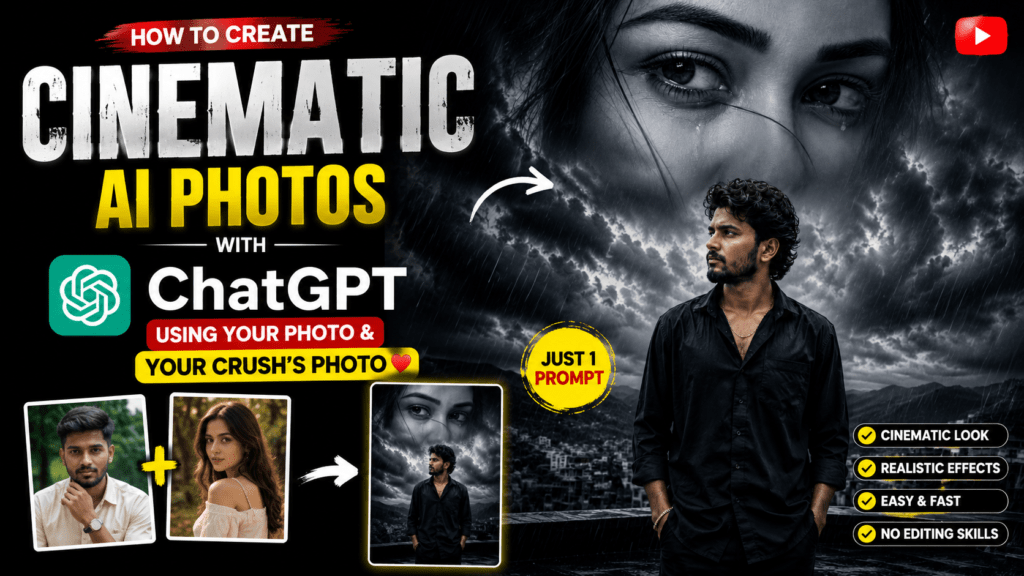
Have you seen those stunning cinematic AI photos on Instagram and wondered how people create them? The good news is that you don’t need advanced editing skills or expensive software. With ChatGPT, a well-crafted AI prompt, and two photos, you can generate a breathtaking movie-style image in just a few minutes.
Whether you want to create a romantic scene, a heartbreak edit, or a dramatic cinematic portrait, ChatGPT can help you generate highly realistic AI images that look like professional movie posters. In this guide, you’ll learn exactly how to create cinematic AI photos using your photo and your crush’s photo.
Why Cinematic AI Photos Are Trending
AI-generated cinematic portraits have become extremely popular on Instagram, Facebook, and other social media platforms. These images stand out because they combine realistic photography with emotional storytelling, dramatic lighting, and Hollywood-style visual effects.
Some popular cinematic AI styles include:
- Romantic Couple Portraits
- Heartbreak Double Exposure
- Rain Effect Portraits
- Movie Poster Style Images
- Emotional Storytelling Portraits
- Moody Cinematic Photography
These edits help create eye-catching content that attracts more likes, shares, and engagement.
What You Need
Before getting started, make sure you have the following:
- A clear photo of yourself
- A clear photo of your crush (or any person you want in the artwork)
- ChatGPT with image generation capabilities
- The cinematic AI prompt provided below
The better the quality of your photos, the better the final AI-generated image will look.
How to Create the Image
Follow these simple steps:
Step 1: Open ChatGPT
Open ChatGPT and switch to image generation mode.
Step 2: Upload the Photos
Upload:
- Your photo
- Your crush’s photo
Choose clear, high-resolution images where the face is visible.
Step 3: Copy the Prompt
Now copy the following prompt exactly as shown.
Cinematic AI Prompt
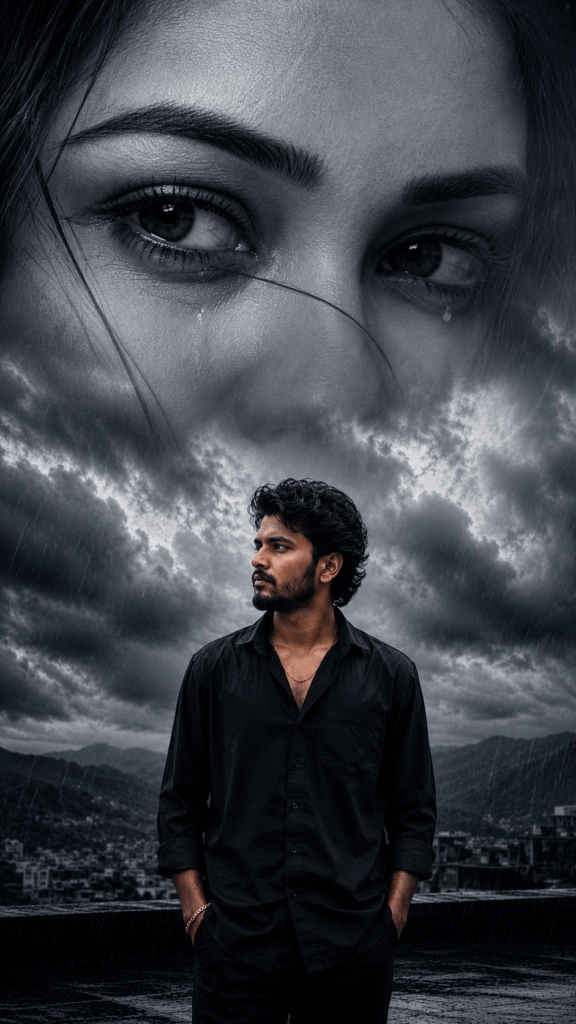
A cinematic double exposure portrait of a young Indian man standing alone on a rooftop during heavy rain, wearing a black oversized shirt with sleeves rolled up, hands in pockets, looking sideways with a serious emotional expression. Above him, a giant monochrome close-up of a beautiful woman’s teary eyes dominates the cloudy sky, blending naturally with dramatic storm clouds. Dark blue-grey color grading, emotional heartbreak atmosphere, realistic rain, mist, mountains and city skyline in the background, ultra-detailed face, wet hair, photorealistic skin texture, volumetric lighting, moody cinematic composition, dramatic contrast, melancholy mood, masterpiece, hyper-realistic, HDR, 8K, shallow depth of field, ultra sharp focus, professional photography, realistic reflections, emotional storytelling, vertical composition (9:16).
Step 4: Generate the Image
Paste the prompt into ChatGPT after uploading the images.
Within a short time, ChatGPT will generate a realistic cinematic portrait inspired by your uploaded photos.
Tips for Better Results
To make your AI-generated image look even more realistic, follow these tips:
- Use high-quality photos with good lighting.
- Avoid blurry or cropped faces.
- Upload front-facing portraits whenever possible.
- Choose images with neutral backgrounds.
- Keep facial expressions natural.
- Use high-resolution source images.
These small improvements can make a huge difference in the final output.
Why This Prompt Works
This prompt is carefully written with detailed cinematic elements that help the AI understand the exact visual style.
It includes important details like:
- Double exposure effect
- Heavy rain atmosphere
- Emotional storytelling
- Monochrome portrait blending
- Dramatic storm clouds
- Volumetric lighting
- Hyper-realistic skin texture
- HDR quality
- Professional photography style
- 8K resolution
- Vertical 9:16 composition
Because of this level of detail, the generated image looks far more realistic than a simple prompt.
Best Uses for This AI Image
Once your cinematic image is ready, you can use it for:
- Instagram Reels Cover
- WhatsApp DP
- Facebook Profile Picture
- YouTube Thumbnail
- Story Posts
- Romantic Edits
- Heartbreak Reels
- AI Art Portfolio
- Social Media Content
These images often receive higher engagement because of their cinematic appearance.
Frequently Asked Questions (FAQs)
Can I use this prompt with ChatGPT?
Yes. Upload your photos first and then paste the prompt to generate a cinematic AI image.
Does the quality of the uploaded photo matter?
Yes. High-resolution and clear images usually produce much better results.
Can I replace the woman’s photo with another person?
Absolutely. You can upload any person’s image, and the AI will adapt the cinematic composition accordingly.
Is this prompt suitable for Instagram Reels?
Yes. The prompt is designed for a 9:16 vertical composition, making it ideal for Instagram Reels, YouTube Shorts, and Stories.
Can I customize the prompt?
Yes. You can modify clothing, background, weather, colors, facial expressions, or lighting to create your own unique cinematic style.
Final Thoughts
Creating cinematic AI photos has never been easier. With ChatGPT, two clear photos, and a detailed prompt, you can generate stunning movie-style portraits without any professional editing skills.
If you enjoy creating AI art, experiment with different emotions, weather effects, and backgrounds to make each image unique. Whether it’s a romantic scene, a dramatic heartbreak edit, or a cinematic masterpiece, the right prompt can transform ordinary photos into extraordinary artwork.
By following the steps above and using the highlighted prompt, you’ll be able to create eye-catching AI images that are perfect for sharing on social media and showcasing your creativity.