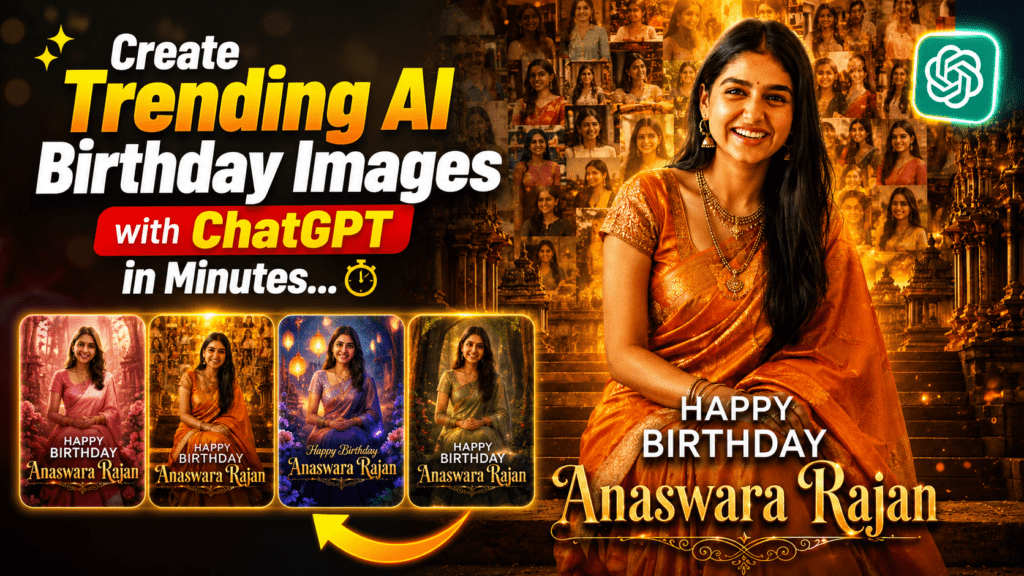
Create Trending AI Birthday Images with ChatGPT in Minutes
Create Trending AI Birthday Images with ChatGPT
AI-generated birthday images are taking over Instagram, Facebook, and WhatsApp. These cinematic birthday posters look like professional movie posters, featuring stunning lighting, personalized designs, and a premium finish. The best part? You can create them in just a few minutes using ChatGPT and the right AI image prompt.
In this guide, you’ll learn how to create trending AI birthday images and get the exact prompt that creates these viral birthday posters.
Why AI Birthday Images Are Trending
Traditional birthday wishes are becoming less popular as people look for more creative and personalized ways to celebrate. AI-generated birthday posters stand out because they combine professional-quality visuals with personal memories.
These images are perfect for:
Instagram Stories
Instagram Reels
WhatsApp Status
Facebook Posts
Birthday Greetings
Digital Invitations
With just one prompt and a photo, you can generate a stunning birthday poster that looks professionally designed.
How to Create an AI Birthday Image Using ChatGPT
Creating a viral birthday poster is simple.
Step 1: Open ChatGPT
Visit ChatGPT and start a new conversation.
Step 2: Copy the Prompt
Copy the AI Birthday Image Prompt provided below.
Step 3: Upload a Photo
Upload the birthday person’s photo so ChatGPT can use it as the reference.
Step 4: Generate the Image
Paste the prompt and generate the image.
Within a few moments, you’ll receive a premium cinematic birthday poster ready to share on social media.
AI Birthday Image Prompt
Copy and paste the following prompt into ChatGPT after uploading the person’s photo.
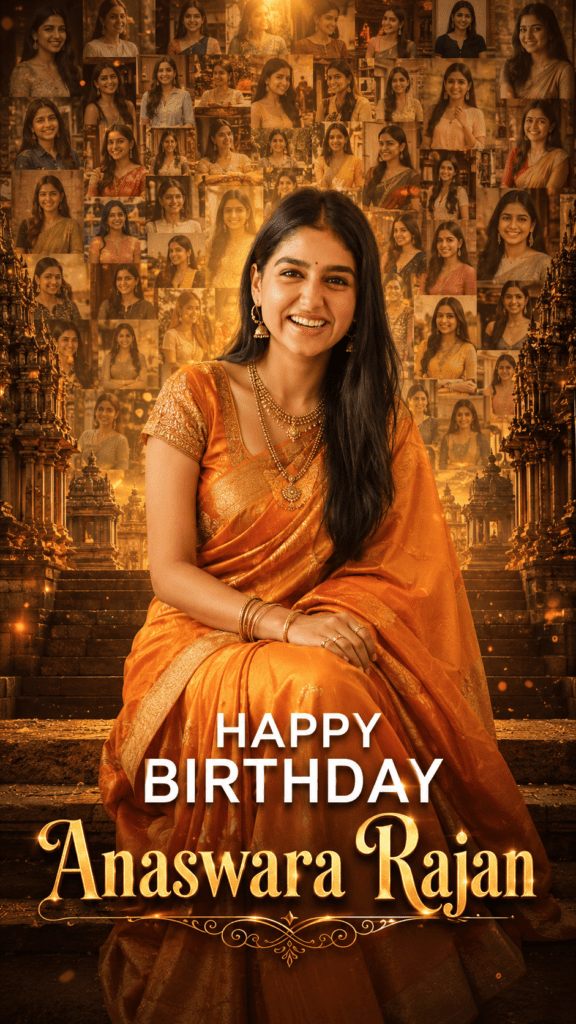
Create an ultra-realistic cinematic birthday poster using the uploaded person's face. The person is sitting gracefully on ancient Indian temple steps, wearing a beautiful orange silk saree with an elegant embroidered blouse, traditional gold jewelry, matching bangles, earrings, and necklace. She has a warm natural smile, long flowing black hair, and soft glowing skin.

The background features a majestic South Indian temple with dramatic golden sunset lighting. Behind her, create a large artistic collage of 40–60 faded memories using different photos of the same person, blended seamlessly into the background with a warm golden glow and soft bokeh lights.

Use rich orange, gold, and amber color tones for a premium cinematic look. Add volumetric lighting, glowing particles, realistic depth of field, soft shadows, HDR quality, ultra-detailed textures, and professional color grading.

At the bottom center, write:

HAPPY BIRTHDAY

PRATHYUSHA

Use an elegant luxury serif font with a golden metallic effect, subtle glow, embossed finish, and decorative flourishes underneath the name.

Make the composition perfectly centered in a vertical 9:16 Instagram Reel format. The image should look like a high-end movie poster, extremely realistic, ultra-HD, 8K quality, with flawless facial resemblance to the uploaded photo.
Tip: Replace “PRATHYUSHA” with the birthday person’s name before generating the image.
Create Trending AI Birthday Images with ChatGPT
Tips for Better Results
Upload a high-quality, clear portrait photo.
Use multiple reference photos if your AI tool supports them.
Keep the person’s face clearly visible.
Replace the name in the prompt with the birthday person’s name.
Generate the image in 9:16 format for Instagram Reels and Stories.
Why This Prompt Works
This prompt is carefully written to produce:
Ultra-realistic facial details
Cinematic movie-poster quality
Traditional Indian styling
Golden sunset lighting
Beautiful temple background
Artistic photo collage
Luxury typography
Professional HDR color grading
The result is a visually stunning birthday poster that feels personalized and premium.
Creating trending AI birthday images has never been easier. With ChatGPT and a well-crafted prompt, anyone can design eye-catching birthday posters in minutes—no graphic design skills required.
Whether you’re surprising a friend, creating content for Instagram, or simply exploring AI creativity, this prompt gives you a quick and effective way to produce beautiful cinematic birthday images.