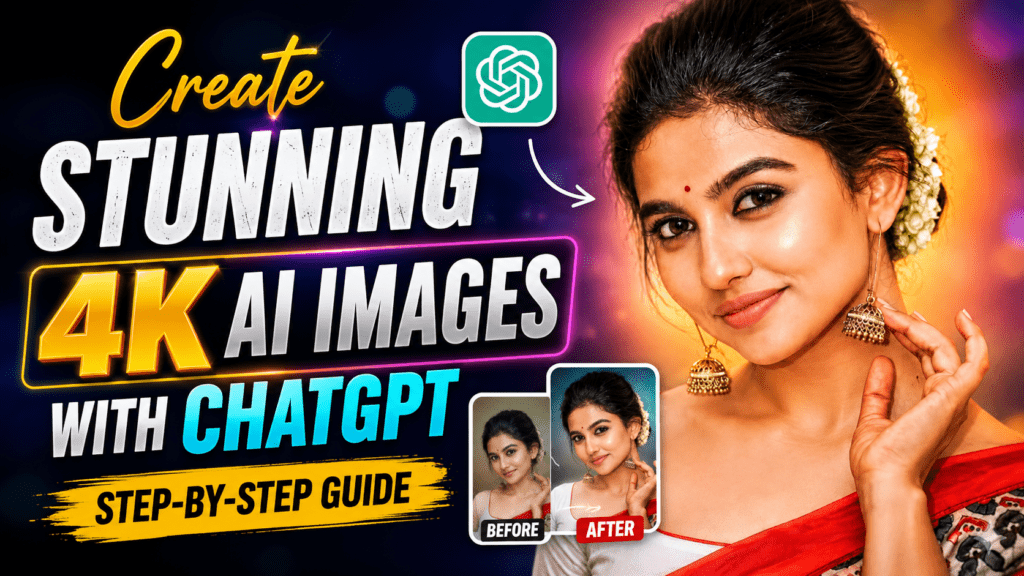
Have you ever wondered how people are creating ultra-realistic AI portraits that look like they were captured with a professional DSLR camera? The good news is that you can create the same high-quality 4K and even 8K AI images using ChatGPT with the right prompt.
In this guide, you’ll learn how to generate stunning AI portraits step by step, along with a powerful ChatGPT prompt that delivers professional-quality results.
What Are AI Portrait Images?
AI portrait images are realistic photos generated or enhanced using artificial intelligence. Instead of spending hours editing in Photoshop, you can simply upload your photo, use a detailed ChatGPT prompt, and receive an incredible AI-generated portrait in just a few moments.
These images are perfect for:
- Instagram Profile Pictures
- Facebook & WhatsApp DP
- LinkedIn Professional Photos
- YouTube Thumbnails
- Personal Branding
- Social Media Content
Why Use ChatGPT for AI Image Generation?
ChatGPT can generate highly detailed AI images when you provide a well-crafted prompt. The quality depends on how descriptive your prompt is.
With the right prompt, ChatGPT can:
- Preserve your original facial features
- Maintain your natural facial expression
- Enhance image sharpness
- Improve lighting and colors
- Create realistic skin texture
- Generate DSLR-style portraits
- Produce premium social media-quality images
Step-by-Step Guide
Step 1: Open ChatGPT
Open ChatGPT and switch to the image generation feature.
Step 2: Upload Your Photo
Choose a clear, high-resolution front-facing photo with good lighting.
Step 3: Copy the Prompt
Paste the prompt below into ChatGPT.
Step 4: Generate the Image
Click Generate and wait a few moments while ChatGPT creates your ultra-realistic AI portrait.
Best ChatGPT Prompt for Stunning 4K AI Images
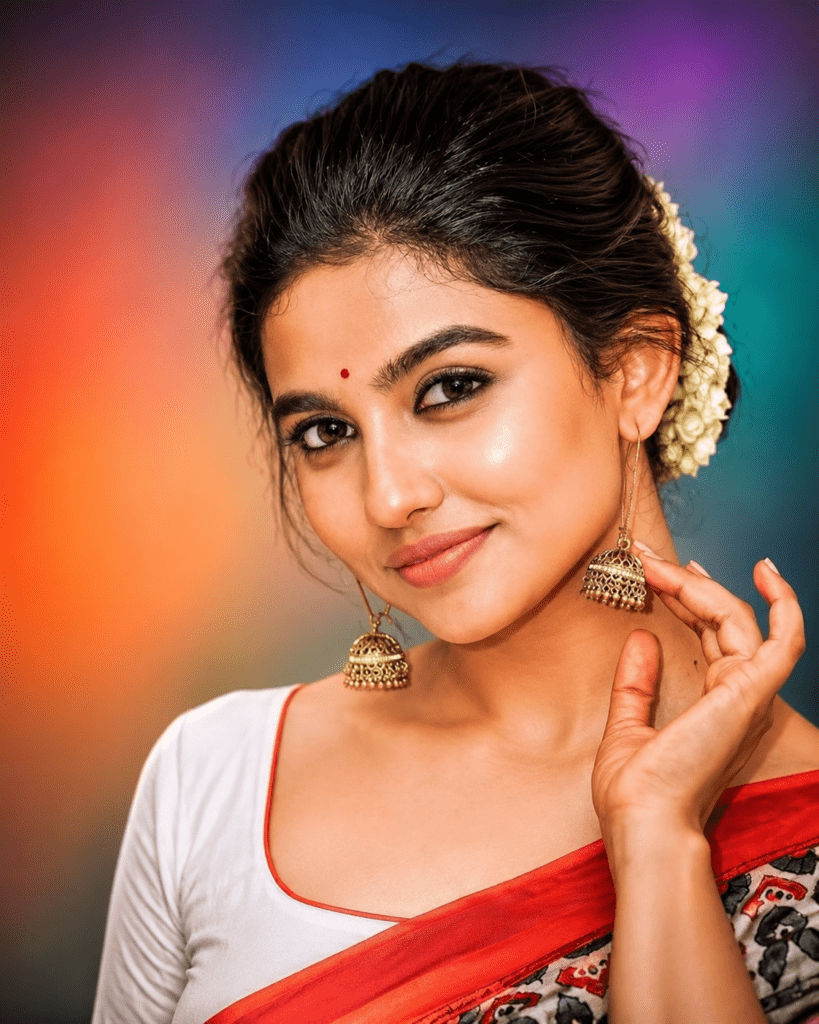
Generate an ultra-realistic 8K digital portrait from the uploaded photo. Preserve the exact facial features, facial expression, skin tone, hairstyle, face shape, and identity with 100% accuracy. Do not alter the person’s expression or facial proportions.

Enhance image quality with ultra-sharp details, realistic skin texture, natural pores, glossy eyes, refined facial features, cinematic soft lighting, and professional color grading. Improve clarity, depth, and dynamic range while maintaining a natural appearance.

Add subtle warm highlights on the forehead, cheeks, and jawline. Create realistic hair strands with high-definition detail. Use a colorful premium background with softly blended green, purple, orange, and blue gradient tones, slightly blurred to keep focus on the subject.

Studio portrait composition, centered framing, DSLR-quality depth, professional photography look, ultra-detailed digital painting, hyper-realistic rendering, HDR lighting, vibrant colors, realistic shadows, 8K ultra-HD quality, masterpiece, sharp focus, premium social media portrait.
Tips for Better Results
To get the best AI portrait possible:
- Use a high-resolution photo.
- Make sure your face is clearly visible.
- Avoid blurry or low-light images.
- Upload a front-facing portrait whenever possible.
- Keep the original facial expression natural.
- Use detailed prompts instead of short prompts.
Where Can You Use These AI Images?
Your AI-generated portraits can be used for:
- Instagram Profile Pictures
- Facebook Profile Photos
- WhatsApp DP
- LinkedIn Headshots
- YouTube Channel Branding
- Business Profiles
- Portfolio Websites
- Personal Branding
- Social Media Posts
- Digital Marketing Creatives
Frequently Asked Questions
Can ChatGPT generate 4K AI images?
Yes. ChatGPT can generate highly detailed AI portraits. The actual output resolution depends on the image generation model, but the prompt can instruct it to create an ultra-detailed, premium-quality look.
Is this prompt free to use?
Yes. You can copy, customize, and use this prompt for your own AI portrait creations.
Can I use my selfie?
Absolutely. A clear selfie or portrait photo usually produces the best results.
Does the prompt keep my face the same?
The prompt instructs the AI to preserve your facial features and expression as closely as possible. However, AI-generated images may still differ slightly from the original photo and cannot guarantee a perfect 100% match.
Creating stunning AI portraits has never been easier. With ChatGPT and a detailed prompt, you can transform an ordinary photo into a professional-looking portrait suitable for social media, personal branding, and creative projects.
Try the prompt above with your favorite photo and see how realistic your AI portrait can become. If you want even more cinematic, anime, superhero, wedding, birthday, or professional AI prompts, keep exploring and experimenting with different styles.